
Temperaments
Use Temperaments to match each Task to the mood you need to be in to do it.

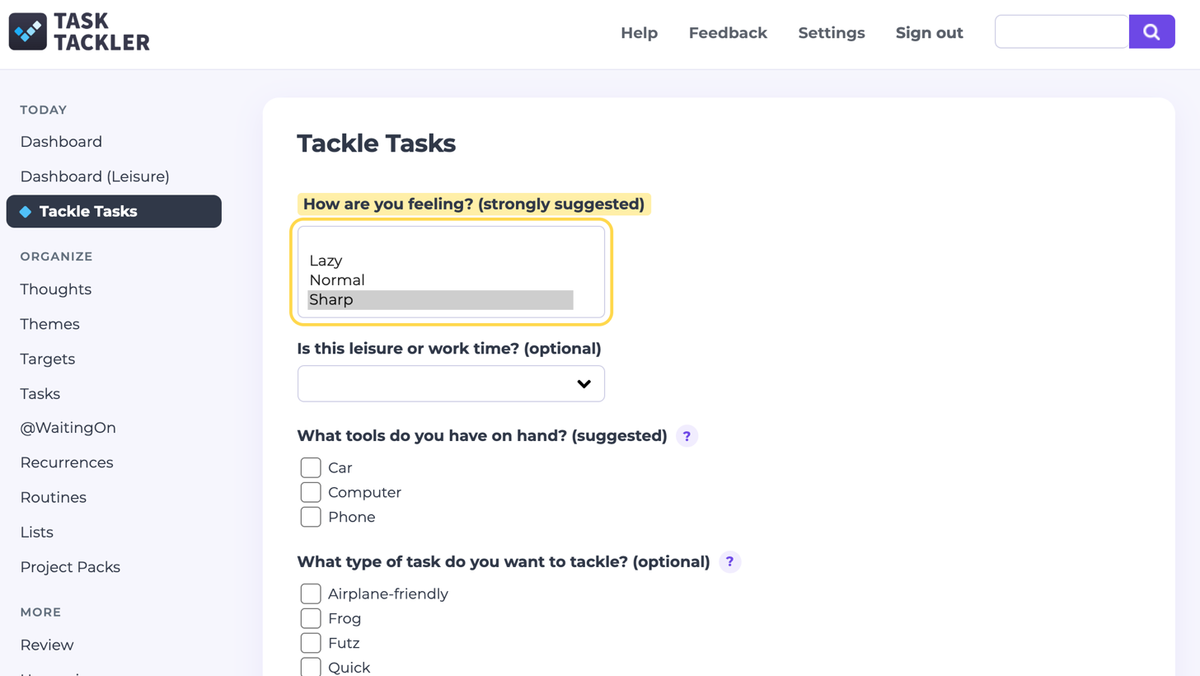
A Temperament is the mood you need to be in to do a Task. Every Task has one, and only one.
Why bother? Because it lets you do what you can do best in your current state of mind. If you’re caffeinated and ready to take on the world, the last thing you should do is the laundry. And when you’re wiped out at 4pm, it’s nice to be shown the laundry and the bill paying, and not the report that needs your whole brain to digest.
You identify your own Temperaments. Some Temperaments popular with TaskTackler users include:
- Sharp
- Normal
- Lazy
- Anxious
- Creative
- Social
- Tired
- Restless
Three is plenty at first; four is probably the max.
When you add a Task, pick the Temperament you’d ideally be in to do it. If more than one would work, pick the lowest-energy one. Then when you open Tackle Tasks and answer “How are you feeling?” you’ll see the Tasks with that Temperament.
You can rename, add or remove Temperaments in Settings. Renaming one updates every Task that uses it. If you remove one that Tasks are using, you’ll be asked which Temperament to move those Tasks to. You need at least one.


