
Territories
Use Territories to hide Tasks you can’t do from where you are.

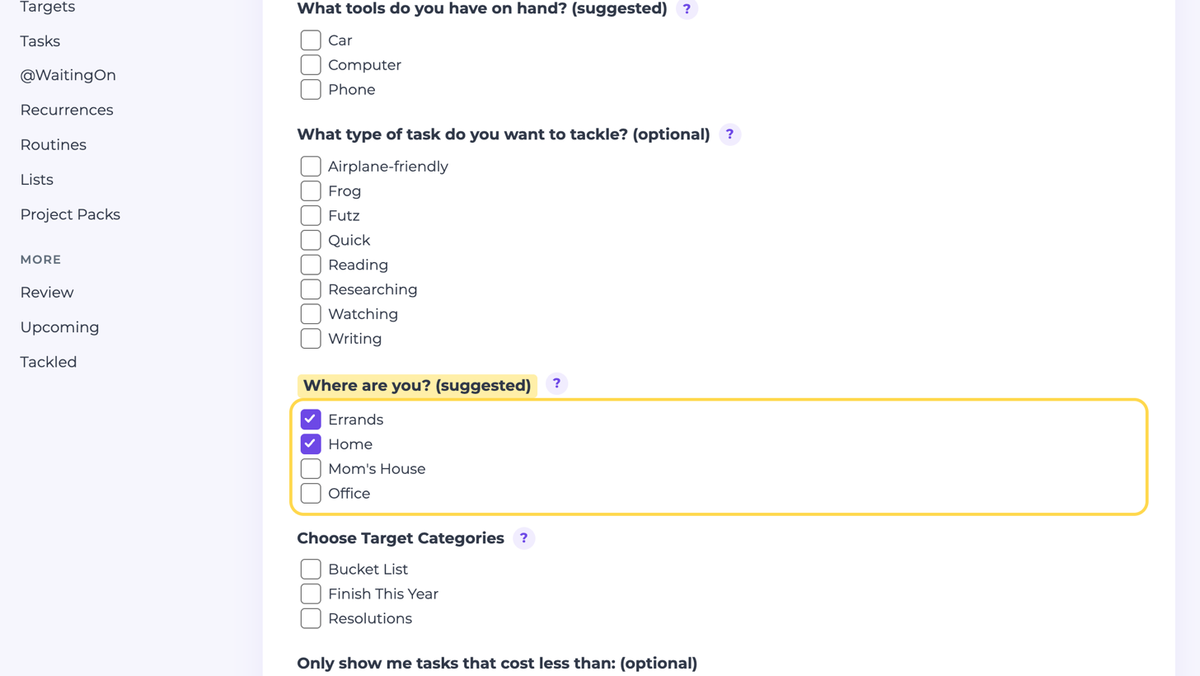
A Territory is a place where a Task has to be done. Territories are optional: give a Task one only when it can’t be done just anywhere.
These work well as Territories:
- “Home”
- “Office”
- “Errands”
- “Mom’s House”
You can be creative. One of my Territories is “9-5” to indicate Tasks I can only accomplish during business hours, like calling to schedule a doctor’s appointment.
My Territories are:
- 9-5
- Second Home
- Home (this is a generic term for “where I’m sleeping tonight” that I can apply to a Task like “brush my teeth” — I cannot really do that when I’m out and about during the day, but I should be able to do that wherever I’m “Home” that night)
- Seattle
Setting your Territories
Set your personal Territories in Settings, under “Customize Your Options.” You can rename, add or remove them there. Renaming one updates every Task that uses it.
Adding a Territory to a Task
Your Territories show up as check boxes whenever you add or edit a Task. A Task can have several Territories, or none.
Territories in Tackle Tasks
Tackle Tasks asks “Where are you?” Check every Territory that applies, and you’ll see a Task if it can be done in any one of them.
If you check “Home” and “9-5” you’ll see Tasks matching “Home” OR “9-5.”
Tasks with no Territory always show.
In other words, if you select no Territory, you’ll only see Tasks with no Territory.
Territories are one of three optional characteristics of a Task. The other two are Tools and Task Types.


