
Tools
Use Tools to hide Tasks when you don’t have what you need to do them.

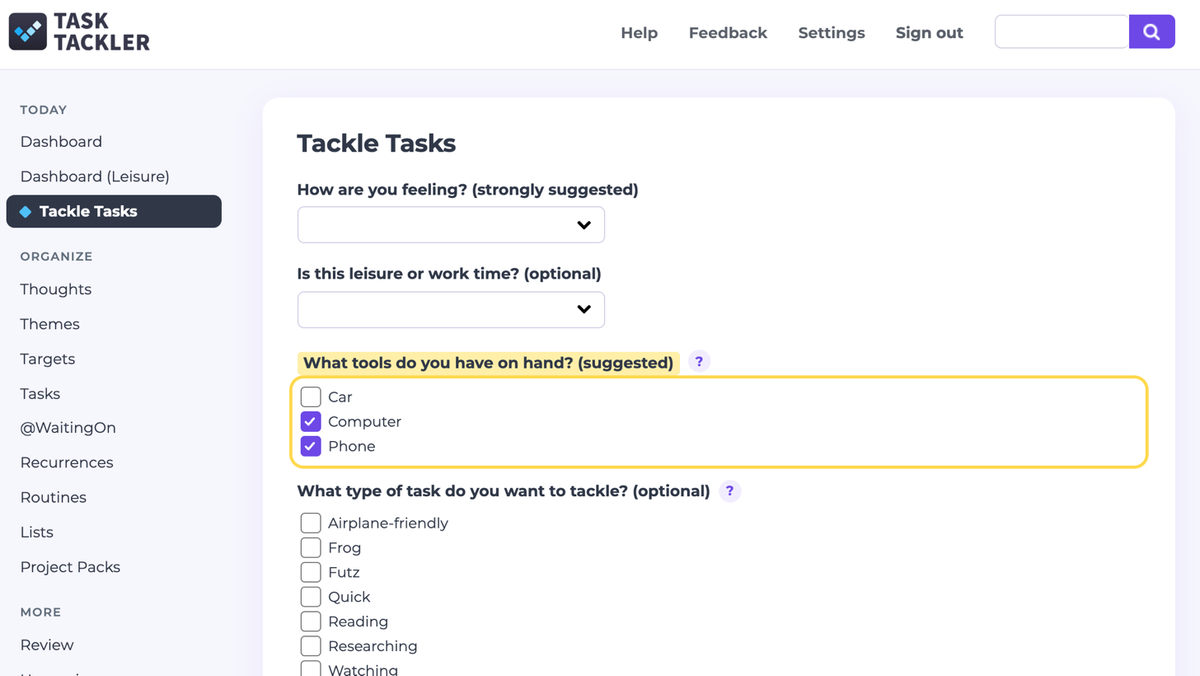
A Tool is something you need to have with you to do a Task. Tools are optional.
These work well as Tools:
- “Phone”
- “Computer”
- “Car”
- “Printer”
Don’t go overboard here, but consider whether there are at least one or two of these in your life. Indicating any required Tools means you can hide Tasks that require a Tool you don’t have on hand.
This is another way to “chunk” Tasks and optimize flow. For example, I use the “Phone” Tool to get any phone calls out of the way, back to back.
My Tools are:
- Computer
- Phone
Setting your Tools
Set your personal Tools in Settings, under “Customize Your Options.” You can rename, add or remove them there. Renaming one updates every Task that uses it.
Adding a Tool to a Task
Your Tools show up as check boxes whenever you add or edit a Task. A Task can need several Tools, or none.
Tools in Tackle Tasks
Tackle Tasks asks “What tools do you have on hand?” Check the ones you have; you’ll only see a Task if you have every Tool it needs. A Task that needs your Phone and your Computer only shows up when you’ve checked both.
Tasks that need no Tools always show. If you check nothing, you’ll only see Tasks that need no Tools.
Tools are one of three optional characteristics of a Task. The other two are Territories and Task Types.


