
Thoughts
Use Thoughts to capture an idea now and decide what it is later.

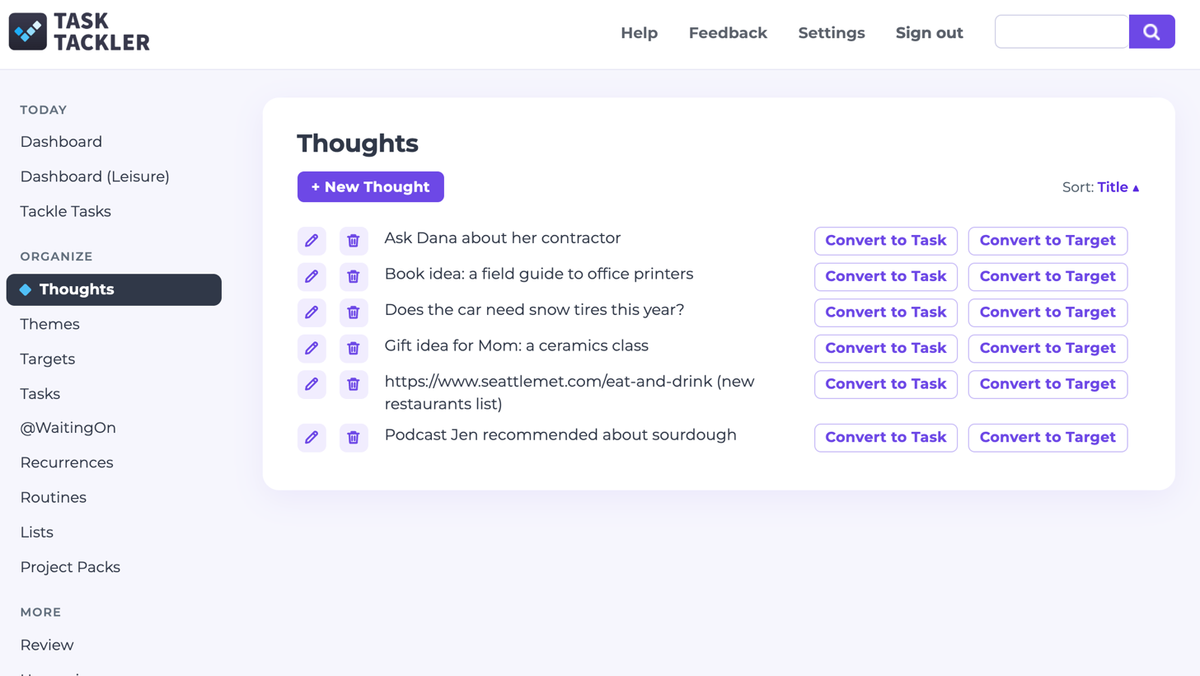
A Thought is a quick idea you’ll deal with later. Jot it down now so you don’t forget, and decide later whether it becomes a Task, a Target, or nothing.
These work well as Thoughts:
- “Look into standing desks”
- “Gift idea for Mom: a ceramics class”
- A link someone just sent you
This is for the moments when you don’t have time to pick a Target and a Temperament, or when you honestly don’t know yet what the thing is. “Look into standing desks” might turn out to be one Task, or a whole Target, or something you’ve lost interest in by Thursday.
Adding a Thought
Add a Thought from the Thoughts page.
You can also text one to TaskTackler from your phone, which is handy when you’re nowhere near your computer. Check Settings for the number to text.
Convert to Task
When you have time, go through your Thoughts. “Convert to Task” is for a concrete thing you can do: reword it if you need to, then pick its Target and Temperament.
Convert to Target
“Convert to Target” is for an outcome that will take several Tasks: pick its Theme and Tier.
Or just delete it
Once a Thought is converted, it disappears. If you don’t need it anymore, or you already dealt with it, just delete it  .
Thoughts in your Review
Thoughts that sit for more than a month will show up in your Review, so they don’t pile up forever.


