
Leisure Mode
Use Leisure Mode to see only the Tasks from your Leisure Targets.

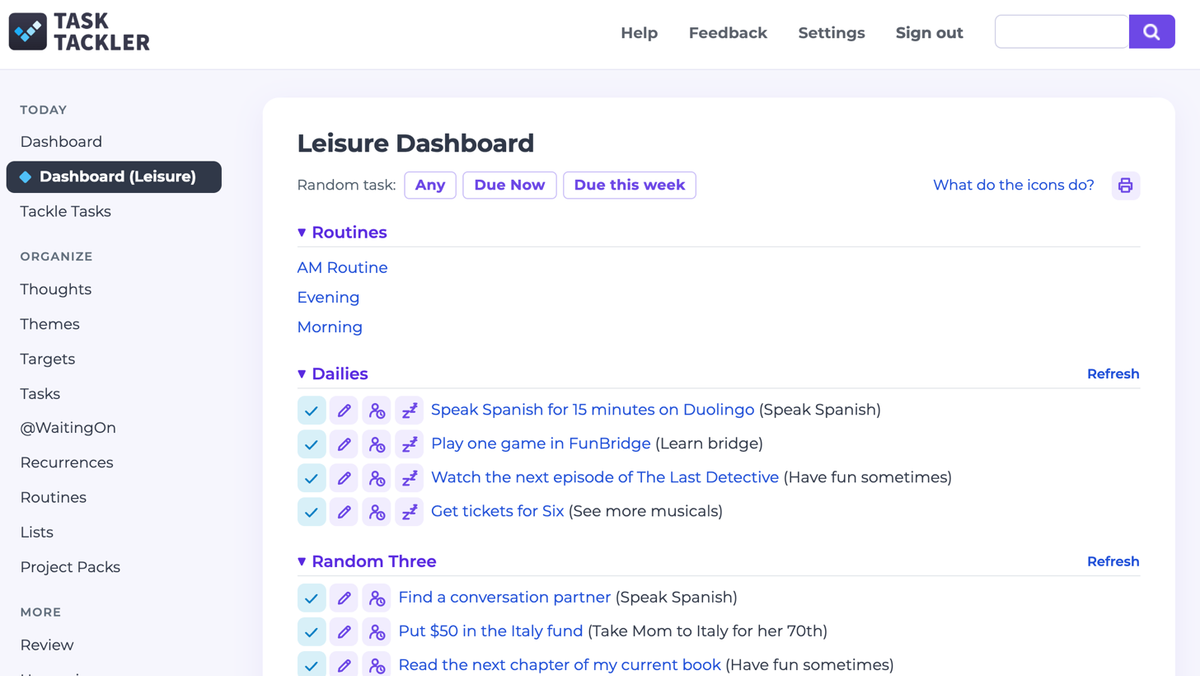
Leisure Mode shows you only the fun side of your life: the Tasks from your Leisure Targets.
Inspired by Deep Work by Cal Newport, TaskTackler believes a full life includes structured leisure time, too. Instead of mindlessly turning on the TV, open the Leisure Dashboard and read that book you’ve wanted to finish, watch the show you’ve actually been meaning to watch, or work on that new hobby.
Work or Leisure?
Every Target is either Work or Leisure. You decide for yourself what leisure means to you.
These work well as Leisure Targets:
- “See more musicals”
- “Learn to play the piano”
- “Be a good friend”
Set Work or Leisure when you create a Target, and you can change it any time by editing  the Target.
The Leisure Dashboard
Click “Dashboard (Leisure)” in the menu and you get the same Dashboard you’re used to, but with only the Tasks from your Leisure Targets, with its own Dailies and Random Three.
Leisure in Tackle Tasks
Tackle Tasks can also accommodate Leisure Mode. Answer “Is this leisure or work time?” with “Leisure” and you’ll only see fun Tasks. Leave it blank to see all Tasks.
Printing your Leisure Tasks
The Leisure Dashboard has its own printer icon  . See Print Mode.


