
Lists
Use Lists to keep things to pick from, like books to read or dinner ideas.

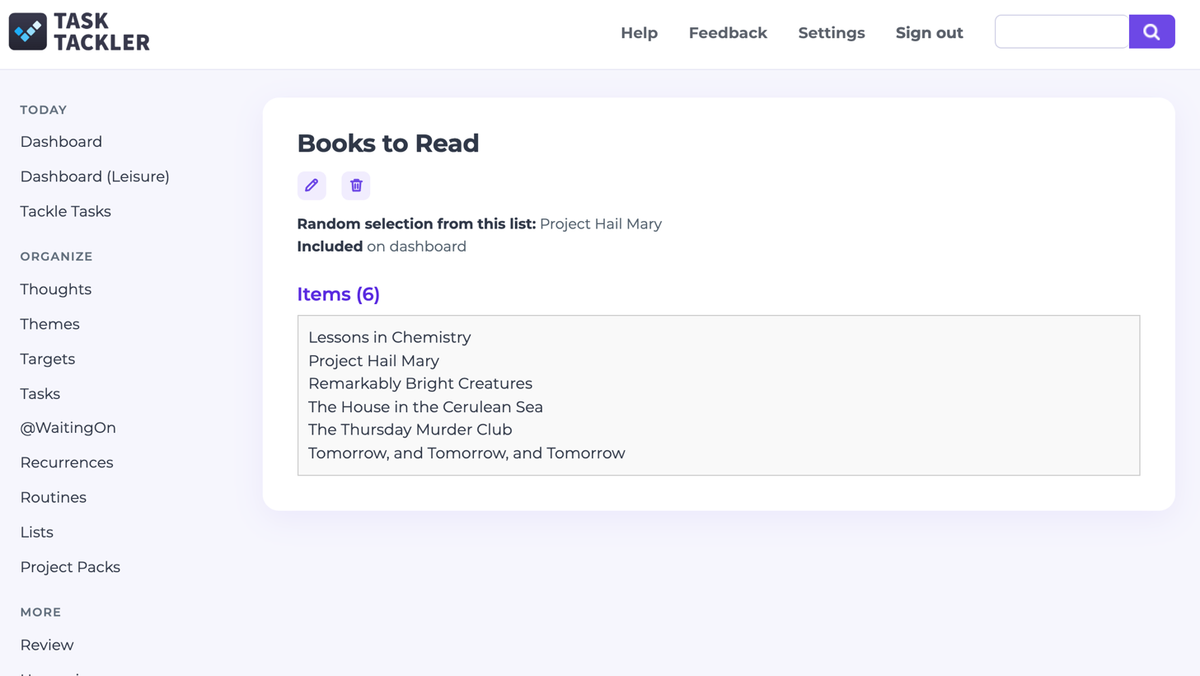
A List is a place to stash things to pick from. The things on a List aren’t Tasks: they don’t have due dates or Temperaments, and nothing nags you about them. They’re just there for when you want one.
These work well as Lists:
- “Books to read”
- “Podcasts to listen to”
- “Dinner ideas”
- “Movies to watch”
- “Commands to practice with my dog”
These are not good Lists:
Making a List
Go to the Lists page, give your List a title, and enter your items, one per line. Come back and add more whenever you think of something.
Go back to a List’s page at any time to see a truly random selection; each time you refresh the page, you’ll get a new pick.
Include on dashboard (optional)
If you check “Include on dashboard,” the Dashboard will show you one item from that List every day, under Today’s Picks.
Don’t feel like that one? Click “Refresh” on Today’s Picks and you’ll get a different item. By design, the random pick on the Dashboard stays the same on a given day, but resets each new day.
For one idea of a way to put a List to work, see Using Lists for an End of Year Cleanout.


