
Target Categories
Use Target Categories to group related Targets across your Themes.

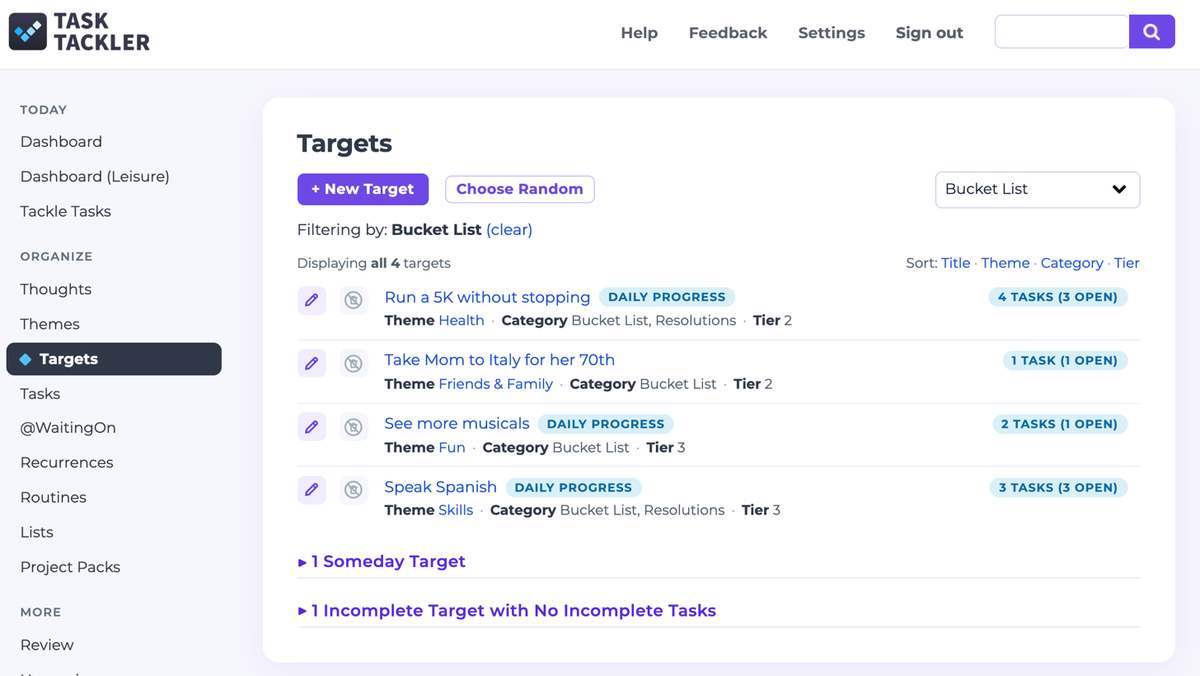
A Target Category is a label you can put on a Target. Categories are optional, and a Target can have more than one.
Every Target already lives under one Theme. Categories let you focus on related Targets that sit across multiple Themes, or on a subset of one Theme.
These work well as Target Categories:
- “Bucket List”
- “Resolutions”
- “Finish This Year”
These are not good Target Categories:
- “Health” (an area of your life; that’s a Theme)
- “Important” (how much it matters right now; that’s a Tier)
- “Fun” (that’s what Leisure is for; see Leisure Mode)
Setting your Categories
Set your personal Target Categories in Settings, under “Customize Your Options.” You can rename, add or remove them there. Renaming one updates every Target that uses it.
Adding a Category to a Target
Your Categories show up as check boxes whenever you add or edit a Target.
Categories on the Targets page
Use the menu at the top of the Targets page to see only the Targets in one Category, or only the ones with no Category. You can also sort your Targets by Category.
Categories in Tackle Tasks
Tackle Tasks has a “Choose Target Categories” question. Check one or more, and you’ll see a Task if its Target is in any one of them. Check nothing to see every Category.


