
Recurrences
Use Recurrences for any Task you do again and again.

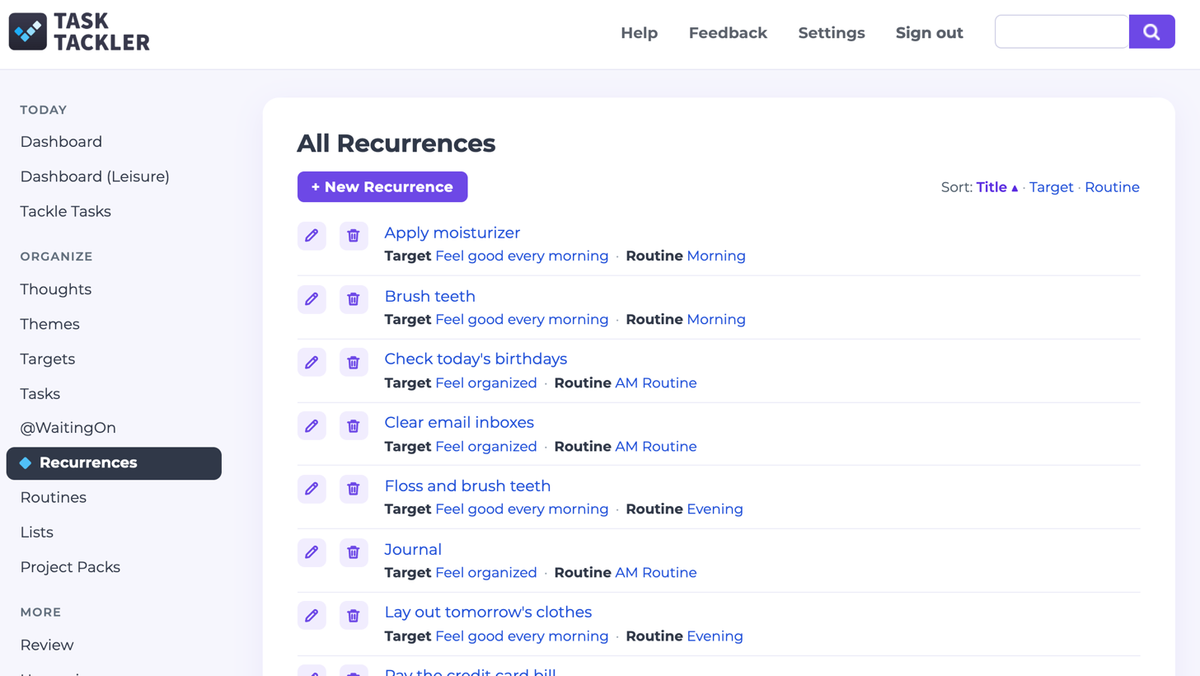
A Recurrence is a Task that repeats.
These work well as Recurrences:
- “Pay rent”
- “Water the plants”
- “Recharge my toothbrush”
- “Vacuum”
- “Tackle my inbox for 10 minutes”
These are not good Recurrences:
- “Measure the wall for cabinets” (you’ll only do it once; that’s a Task)
- “Morning Routine” (several Tasks done together; that’s a Routine)
In TaskTackler, a Recurrence asks for the same things a Task does: a title, a Target, a Temperament, and optionally Task Types, Tools, and Territories. Then you specify when it should repeat.
Create one on the Recurrences page.
Recur Based on Completion
This Recurrence Type repeats a number of days after you finish it. Set “Days Until Next Task” to 3 and, when you complete the Task, the next one shows up three days later.
Use it for things like watering the plants, where what matters is how long it’s been since you last did it.
Recur Based on Schedule
This Recurrence Type repeats on fixed days. The Schedule Patterns are:
- Every [Sunday] (you choose the day of the week)
- Every Weekday
- Every Day Except Sunday
- 1st of the Month
- 15th of the Month
- Last Day of the Month
- First Day of the Quarter (January 1, April 1, July 1 and October 1)
- January 1 and July 1
- January 1
Use it for Tasks that reliably follow the calendar, like paying rent on the 1st, or exercising.
Recurrences don’t pile up
A Recurrence creates its next Task when you complete the current one, and it stays hidden until it’s supposed to resurface. So if you fall behind on watering the plants, you won’t have a task pile-up; you’ll only ever have one outstanding Task.
Days Until Due, Once Posted (optional)
Fill this in and each new Recurrence gets assigned a due date. This due date will be the number of days after the new Recurrence appears that you set. So due “0” days after means the moment the Recurrence repeats, it’s due. Due “1” day after means the Recurrence is due the day following its appearance. And so on.
Leave it blank and the Recurrence has no due date.
Tasks you always want available
Deleting a Recurrence
You can’t delete  a Task that belongs to a Recurrence. Delete
 the Recurrence first.
Do you do several of these together, in the same order? Make them a Routine.


