
Hide Until
Use Hide Until to keep a Task out of sight until a day you choose.

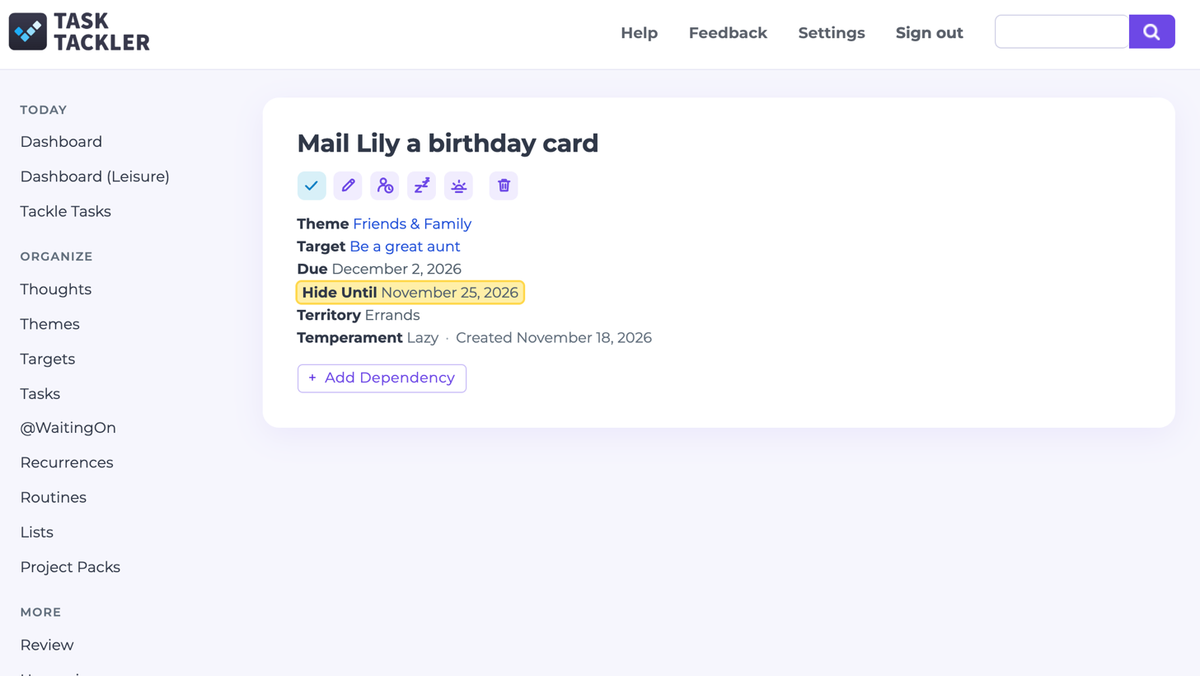
Hide Until is a date on a Task or a Routine. Until that day, the Task or Routine stays off the Dashboard (and the Task stays out of Tackle Tasks).
These work well with a Hide Until date:
- The thing you can’t start until Monday (it’s not time yet)
- The follow-up you don’t want to think about until next month (there’s nothing to do before then)
These are not good uses of Hide Until:
- A Task that has to wait for another Task (use Dependencies)
- A Task where the ball is in somebody else’s court (use @WaitingOn)
- A Task you only want out of the way for a few hours (use Later Today)
Setting a Hide Until date
When you add or edit a Task or Routine, pick a date under “Hide Until.” It will hide from view until then.
Hide Until and due dates
Hide Until is the day a Task or Routine comes back into view. “Due On” is the day it has to be done. You can have both: a Task to mail a birthday card can hide until a week before (so you have time to write a thoughtful one or realize you’re out of stamps), but not be due until the day it has to be in the mail.
Seeing what’s hidden
The Upcoming page lists every hidden Task and Routine on the day it comes back.
A hidden Task is also listed under “Tasks You Can’t Do Yet” on its Target’s page.
Want it back sooner? Edit  it to change or clear the date.
Recurrences and Routines
Recurrences set Hide Until for you: when you complete one, the next one stays hidden until it’s time.
In a Routine, the Skip icon  hides a Task until the Routine comes around again.
Hide Until is one of a few ways to put a Task away until you can do it. See Keeping Tasks out of sight until you can do them for the others.


